“I run 5-6 parallel sessions at most, otherwise I can’t keep track”
Running Claude Code in parallel is easy: open another terminal. Keeping track is the hard part. Of 411 people who described their agent setup on Hacker News in November, 47 run several sessions in parallel and 29 talk about juggling, babysitting or losing track.
The symptoms are always the same three:
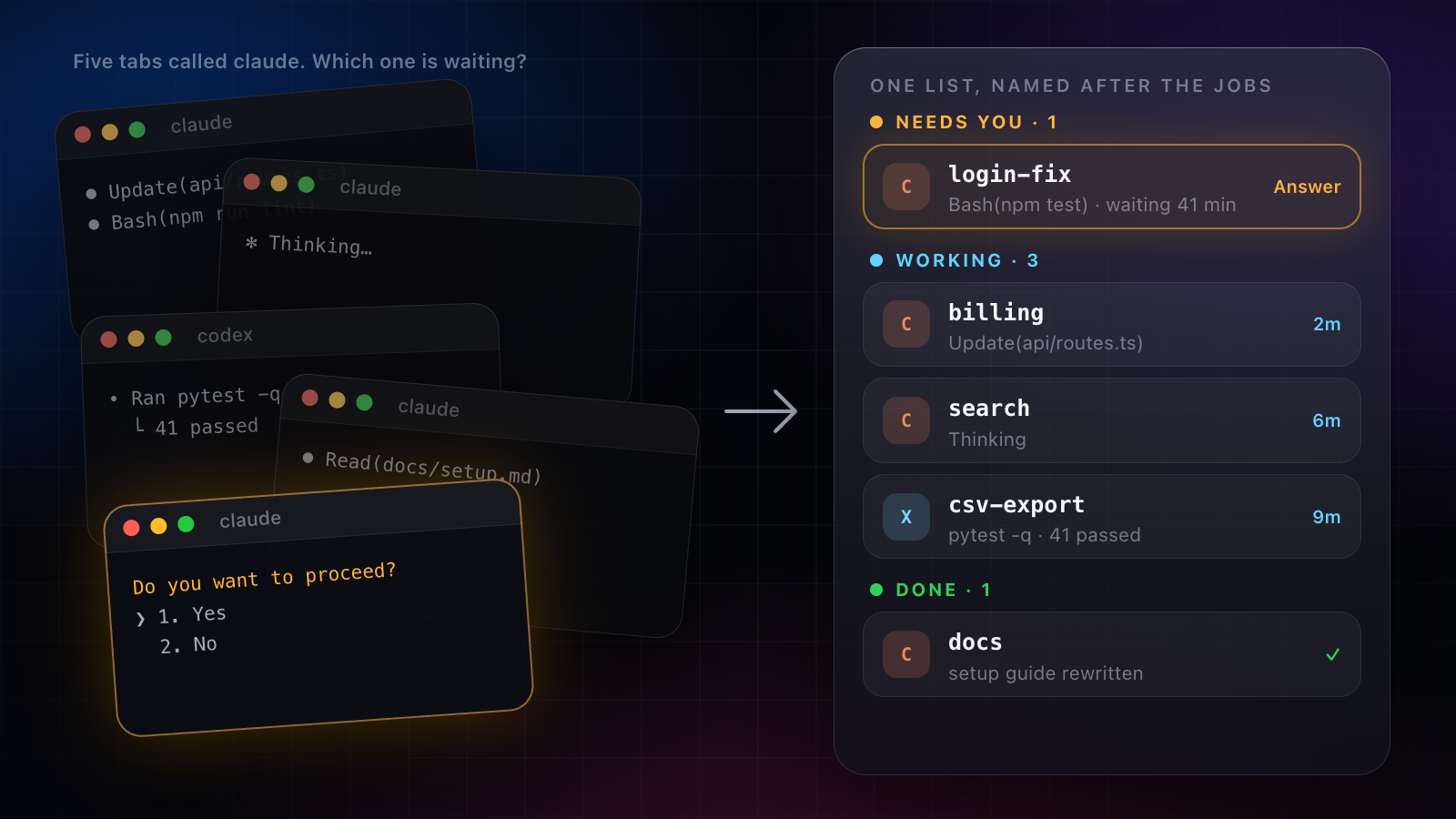
- Which one is waiting on me? A permission prompt sits in a tab you haven’t looked at for twenty minutes.
- Which one is doing what? Five tabs called
claude, and you open each to remember. - Which one finished? The work is done, and nobody told you.
“I lose track of which one is doing what and which one is waiting on me”
1. One job per session, one worktree per job
Two sessions editing the same checkout will trip over each other. Give each job its own working tree on its own branch:
git worktree add ../app-login -b login-fix
cd ../app-login && claude
Each session now has its own files, and merging is a normal git merge when it’s done.
2. Name everything after the job
A tab called claude tells you nothing. Name the tmux session or terminal tab after the job, login-fix, billing, docs, so the list of names is the list of work:
tmux new -s login-fix
tmux ls
3. Make waiting loud
The costliest state is the silent one: a session stopped on a question. Have Claude Code tell you when it waits for input or permission, with its notification setting or a Notification hook that pushes to your phone. The setup is in Claude Code notifications: know when it’s waiting for input.
4. Read results, not transcripts
Five sessions produce more output than anyone can read. Ask each one to end with a short result: what changed, what it checked, what it needs from you. Then you read five summaries instead of five scrollbacks.
“in the morning i just look at the list and only open the blocked ones”
That habit is the whole idea: a list, sorted by who needs you.
One list that does the watching
We built Amia so that list keeps itself. Every session, Claude Code’s and Codex’s, Cursor’s, Grok Build’s, Antigravity’s, Muse Code’s and Amia’s own agents’, sits in one list on your Mac and your iPhone, sorted the way that matters: what needs you, what’s working, what’s done. It also works over every app on your Mac, with ⌥Space anywhere and a bar of actions on any text you select, and it pays or signs in without ever seeing your card or password.
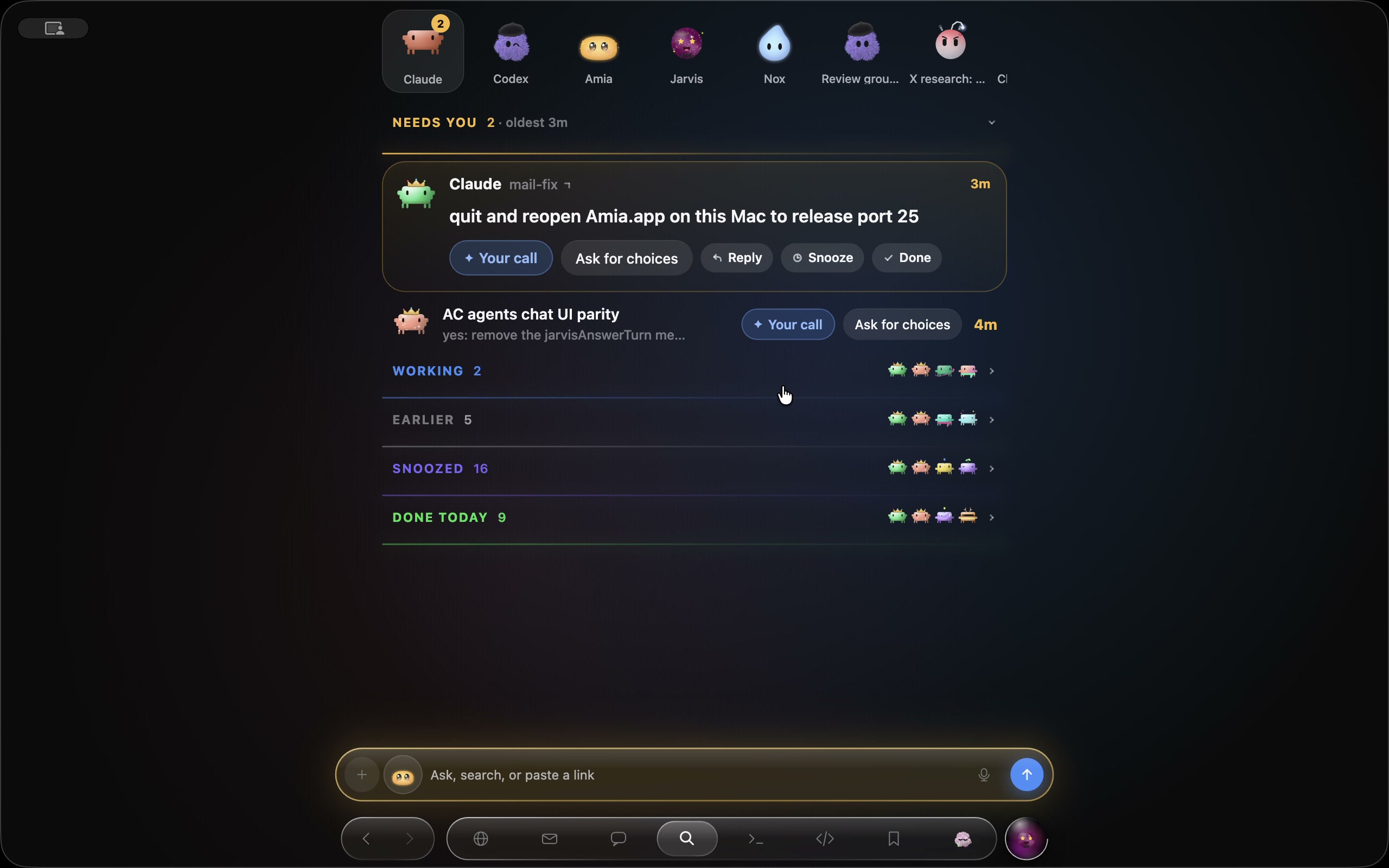
- Each agent has a face that shows its state at a glance: working, waiting for you, or done.
- A session that stops on a question goes to the top, and to your iPhone’s Lock Screen. One answer and it carries on.
- Crews show lanes. Put sessions in a crew, or let one agent bring in another, and you see who is on what. They message each other by name.
- Search every chat, and what was said in it, with ⌥⌘F.
- Every step is on the record, with what it spent. Stop any session from any screen.
Worktrees still keep the code apart; Amia keeps the sessions in view. It runs on the AI accounts you already pay for and never counts them.