“one of them has just been sitting there waiting for me to approve something. for like 20 min”
One session, you watch. Three sessions, and one of them is always waiting on a prompt in a tab you aren’t looking at. Leave one running overnight and it can sit on a single permission question until morning: people have filed exactly that against Claude Code, as “Overnight autonomous run blocked on a permission prompt for an unknown duration”.
There are three ways to fix it, from a minute’s setup to a whole app. Each one misses something.
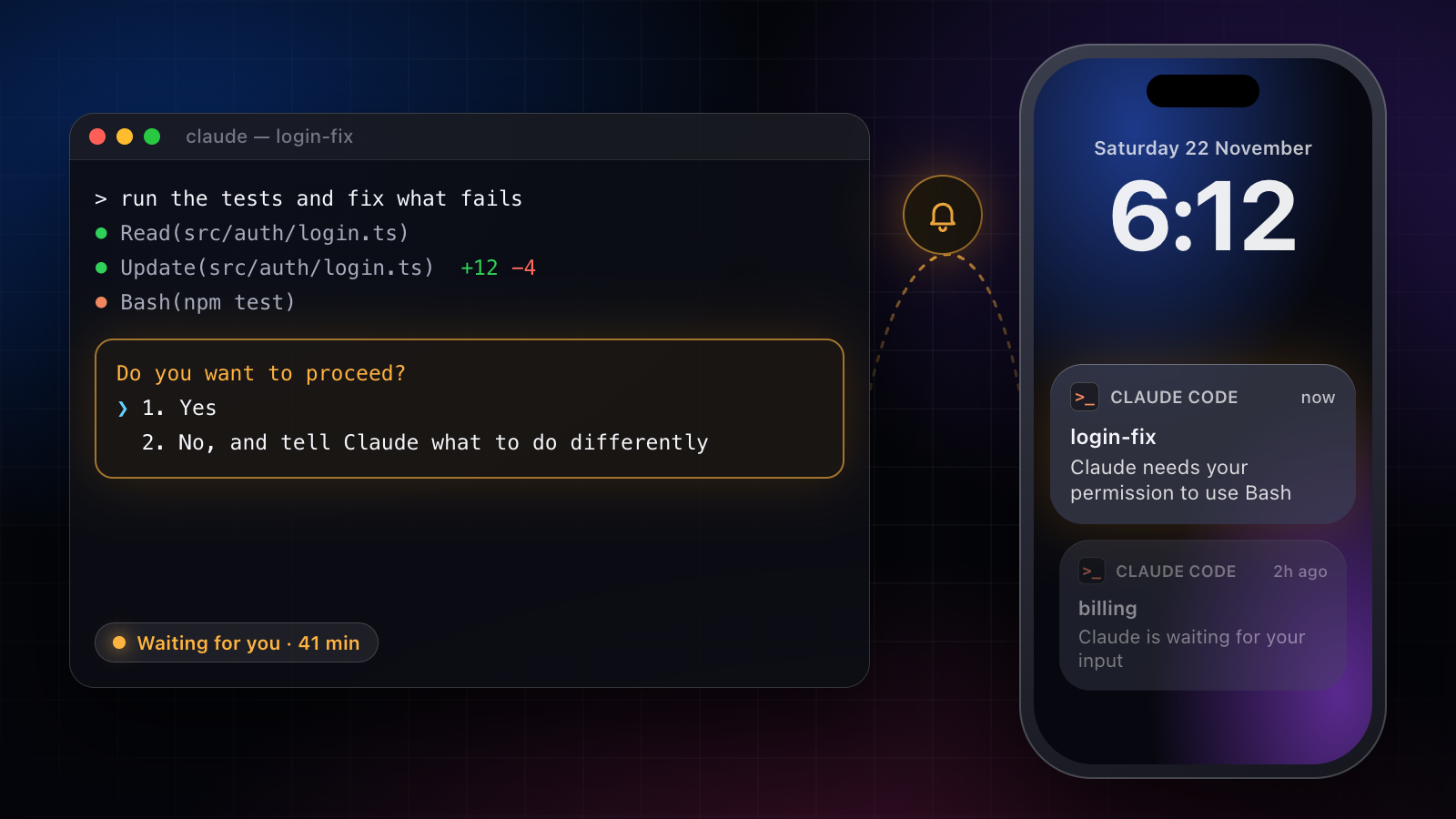
1. Let Claude Code notify you
When Claude finishes, or stops on a permission prompt, and you seem to be away from the terminal, Claude Code sends a notification. In Ghostty, Kitty and iTerm2 that’s a desktop notification (iTerm2 shows it only once its alert settings are on); other terminals get a bell or nothing. To always get the bell, add this to ~/.claude/settings.json:
{ "preferredNotifChannel": "terminal_bell" }In Apple’s Terminal, also turn on Audible bell under Settings, Profiles, Advanced.
What it misses: you have to be at that computer, and a bell doesn’t tell you which of five tabs is asking.
2. Push it to your phone with a hook
Claude Code’s hooks run a command of yours on events, and its Notification event fires when Claude is waiting for your input or your permission. Pair it with a push service such as ntfy and the question reaches your phone. In ~/.claude/settings.json:
{
  "hooks": {
    "Notification": [
      {
        "hooks": [
          { "type": "command", "command": "curl -s -d 'Claude Code needs you' ntfy.sh/pick-a-long-random-topic" }
        ]
      }
    ]
  }
}
Check it registered with /hooks. ntfy topics are public by name, so pick one nobody can guess. If your settings already have a hooks key, add Notification beside the events already there.
What it misses: the push is one way. You know something is waiting, but you still walk back to the terminal to answer, and it covers Claude Code only.
3. One list for every agent, and the question on your Lock Screen
This is the one we built. Amia runs Claude Code, Codex, Cursor, Grok Build, Antigravity, Muse Code and its own agents in one list on your Mac and your iPhone: what needs you, what’s working, what’s done. It also works over every app on your Mac, with ⌥Space anywhere and a bar of actions on any text you select, and it pays or signs in without ever seeing your card or password.
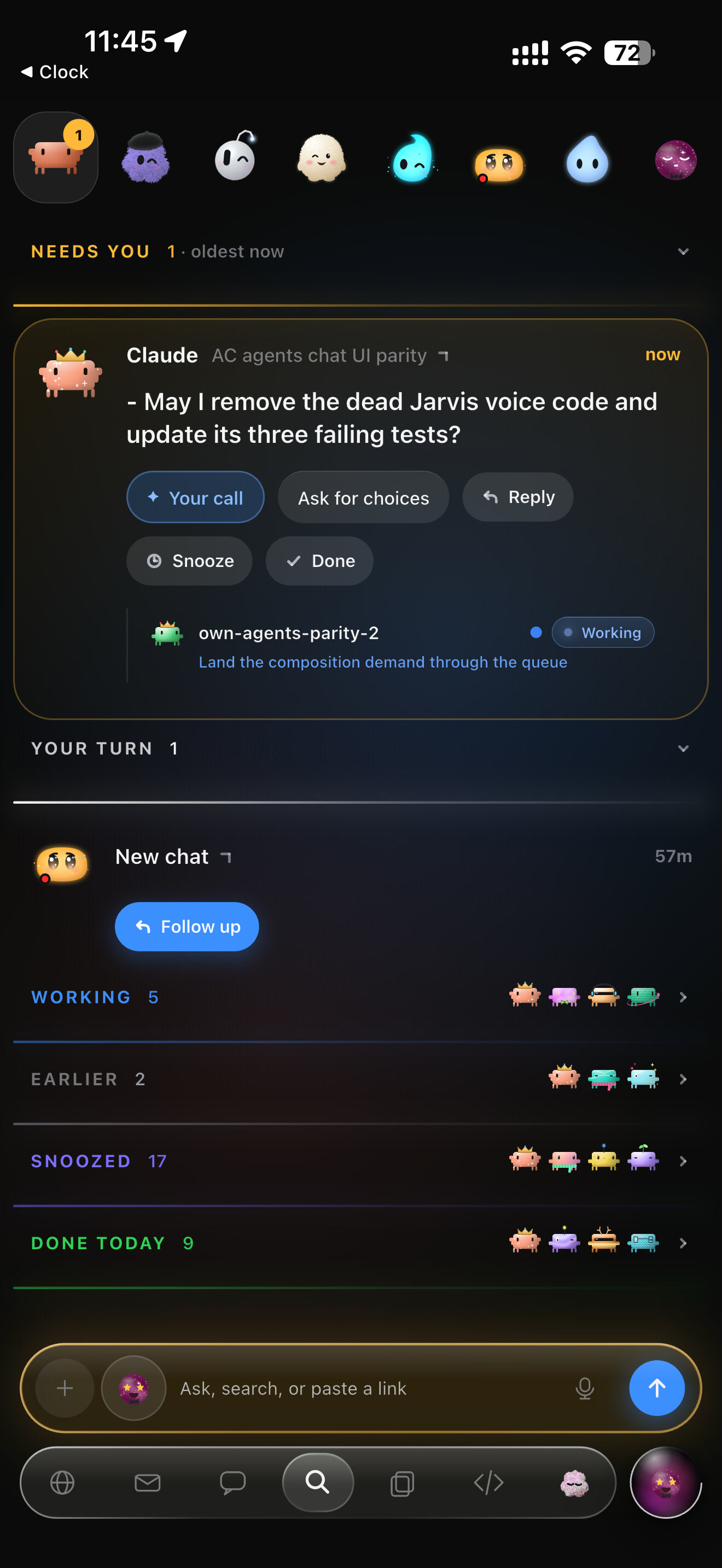
When a Claude Code session stops on a permission prompt or asks you a question, Amia puts it at the top of that list and on your iPhone’s Lock Screen and Dynamic Island. Answer it there and the session carries on. The terminal’s own dialog stays open too, so you answer wherever you happen to be, and the ask disappears from every screen once it’s settled.
Each agent has a face that tells you its state at a glance: working, waiting for you, or done. Stop any of them from any screen, the Lock Screen included.
What it misses: it needs a Mac with Apple silicon, and the iPhone app is in beta on TestFlight.
Side by side
| where you see it | answer from your phone | Codex, Cursor and others too | setup | |
|---|---|---|---|---|
| terminal notification | that Mac | no | no | a setting |
| hook + push | your phone | no, only see it | no | a few lines |
| Amia | your Mac, iPhone, Lock Screen | yes | yes | an app |
If you run one Claude session, start with the hook. If you run several, across more than one vendor, and you’d rather answer than just be told, that’s what Amia is for.