“Claude Code across a multitude of tmux sessions, over two or three laptops – largely so long running actions don’t happen on the actual laptop I take with me”
A long agent run and a laptop you carry don’t mix. Close the lid and the run stops. Leave it open and the laptop stays on a desk, warm, all day.
In the Hacker News thread that asked 411 people for their agent setup, 40 of them, nearly one in ten, already mention a server, a VPS or an always-on machine. Here are the three ways people get there.
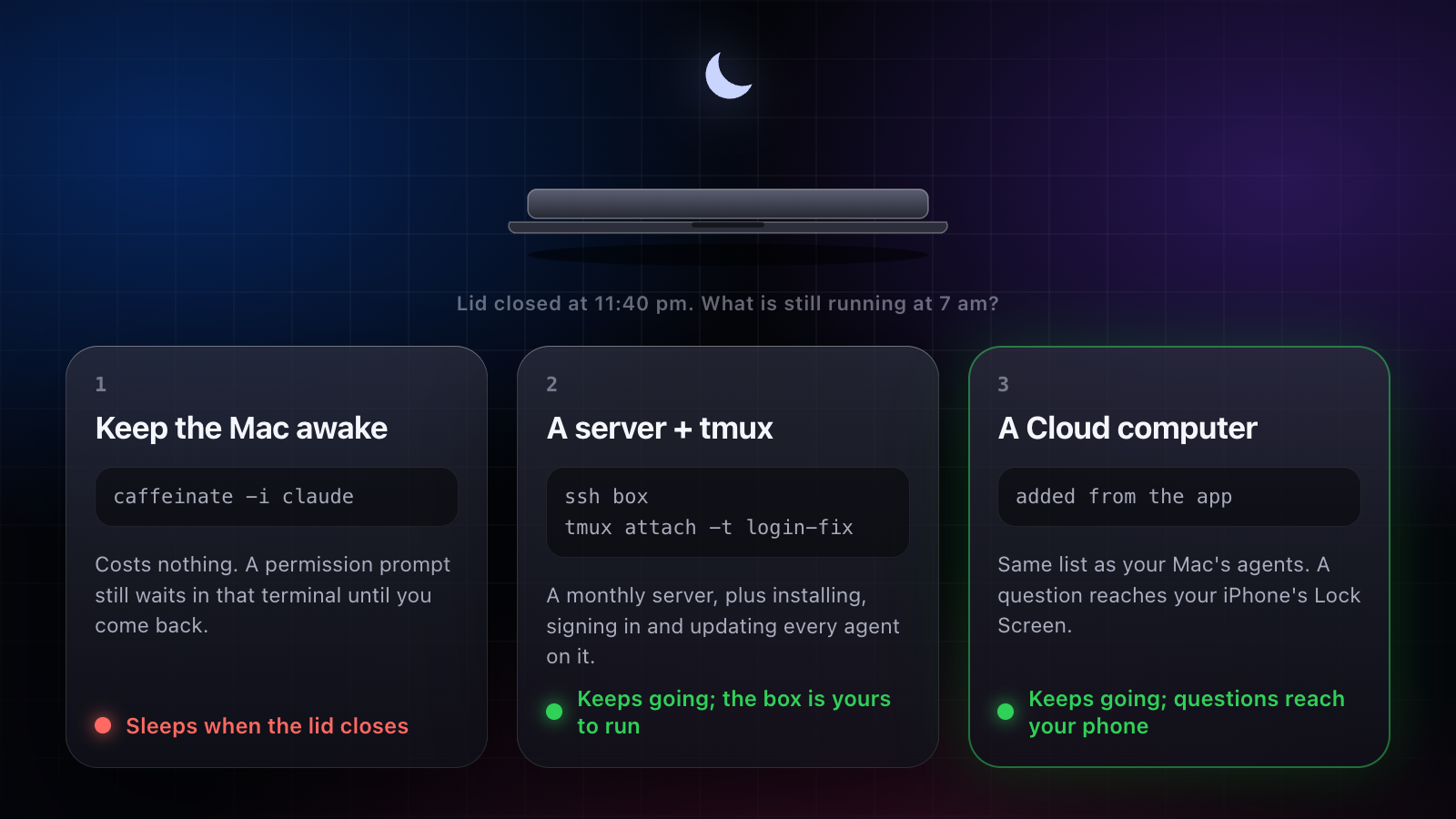
1. Keep the Mac awake
caffeinate keeps an open Mac from sleeping while a command runs:
caffeinate -i claudeClosing the lid is another matter: a MacBook sleeps on lid close unless it is in clamshell mode, on power with an external display.
- Costs: nothing.
- Still yours: the laptop stays home and on. A permission prompt still waits in that terminal until you come back.
2. Rent a server and tmux in
Put the agent on a Linux box from any cloud provider, run it inside tmux, and reattach over SSH from your laptop or a phone terminal app.
- Costs: the server’s monthly price, plus your time: install the agents, sign each one in, copy your repositories and keys across, keep it all updated.
- Still yours: a prompt waits inside a tmux pane nobody is watching, so add a notification hook (see Claude Code notifications). Your Mac’s agents and the server’s live in different places.
3. A Cloud computer that comes with the agent
Amia gives the job a computer of its own. Hand it to a Cloud computer, close your Mac, and the work goes on. It also works over every app on your Mac, with ⌥Space anywhere and a bar of actions on any text you select, and it pays or signs in without ever seeing your card or password.
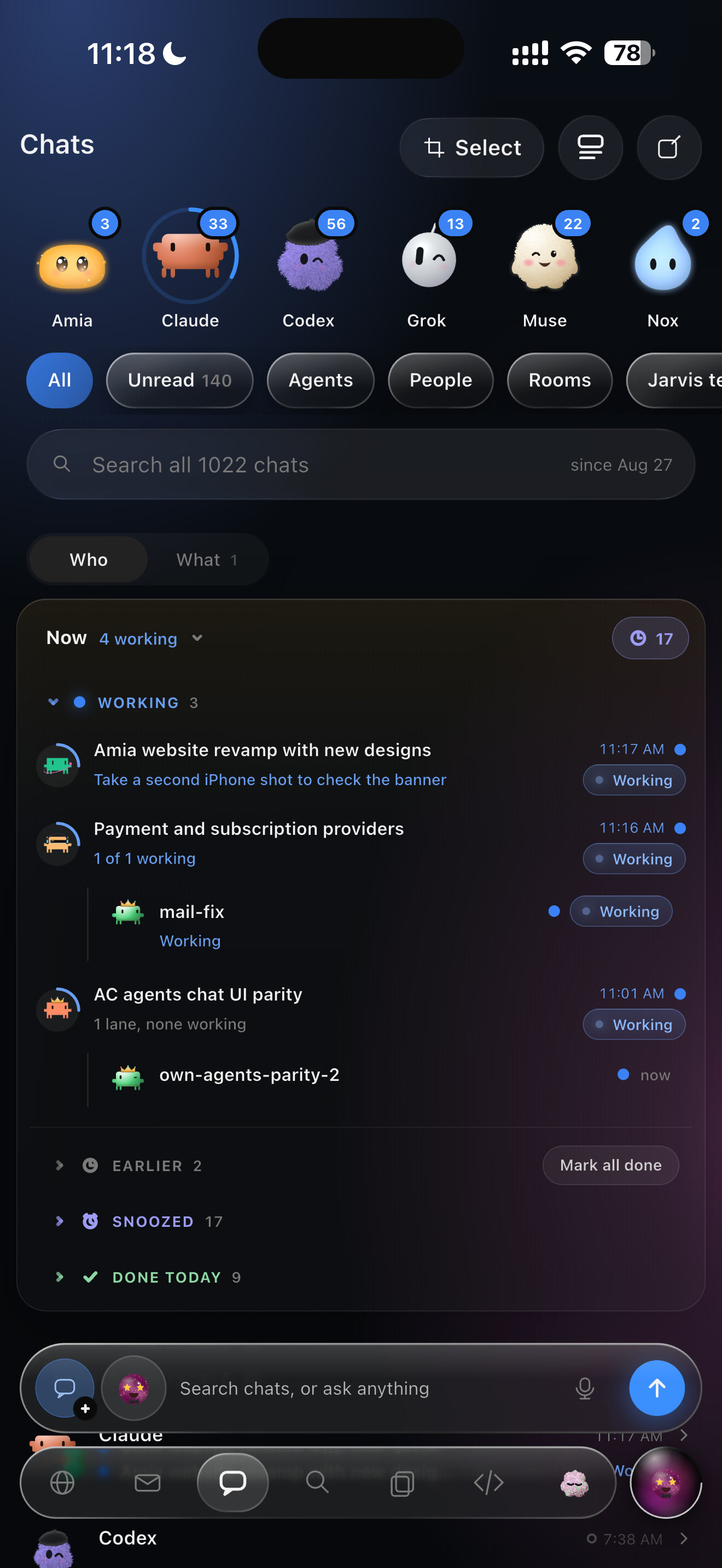
- It is in the same list as the agents on your Mac: what needs you, what’s working, what’s done.
- Its questions reach you, at the top of the list and on your iPhone’s Lock Screen. One answer and it carries on.
- Today it runs Amia’s own agents and Claude Code; more agents are rolling out to it. Codex, Cursor and the rest run in Amia on your Mac.
- Costs: Plus, Pro and Team each include one Cloud computer (plans).
What it doesn’t do: reach into your home network or your Mac’s own files. For a job that needs those, keep it on the Mac.
Side by side
| keeps going with the lid closed | questions reach your phone | Claude Code and Codex in one place | your setup time | |
|---|---|---|---|---|
| keep the Mac awake | no | with a hook | in separate apps | none |
| a server + tmux | yes | with a hook | yes, by hand | hours, then upkeep |
| Amia Cloud computer | yes | yes, answerable | in one list (Codex on the Mac today) | added from the app |