Amia puts Claude Code, Codex and the rest of your agents on one team, on your Mac and your iPhone. It also brings them to every app on your Mac, lets them pay and sign in without ever seeing your card or password, and comes with a Cloud computer and a private network of its own, so the work goes on with your Mac shut and there is no server for you to keep. Four free, open-source apps, T3 Code, Orca, herdr and Happy, also put these agents side by side; the chart below shows what they leave out.
We make Amia. Every claim about the other four was read from their own sites, docs and READMEs on 21 November 2026, and the places where Amia isn’t the right pick are listed below.
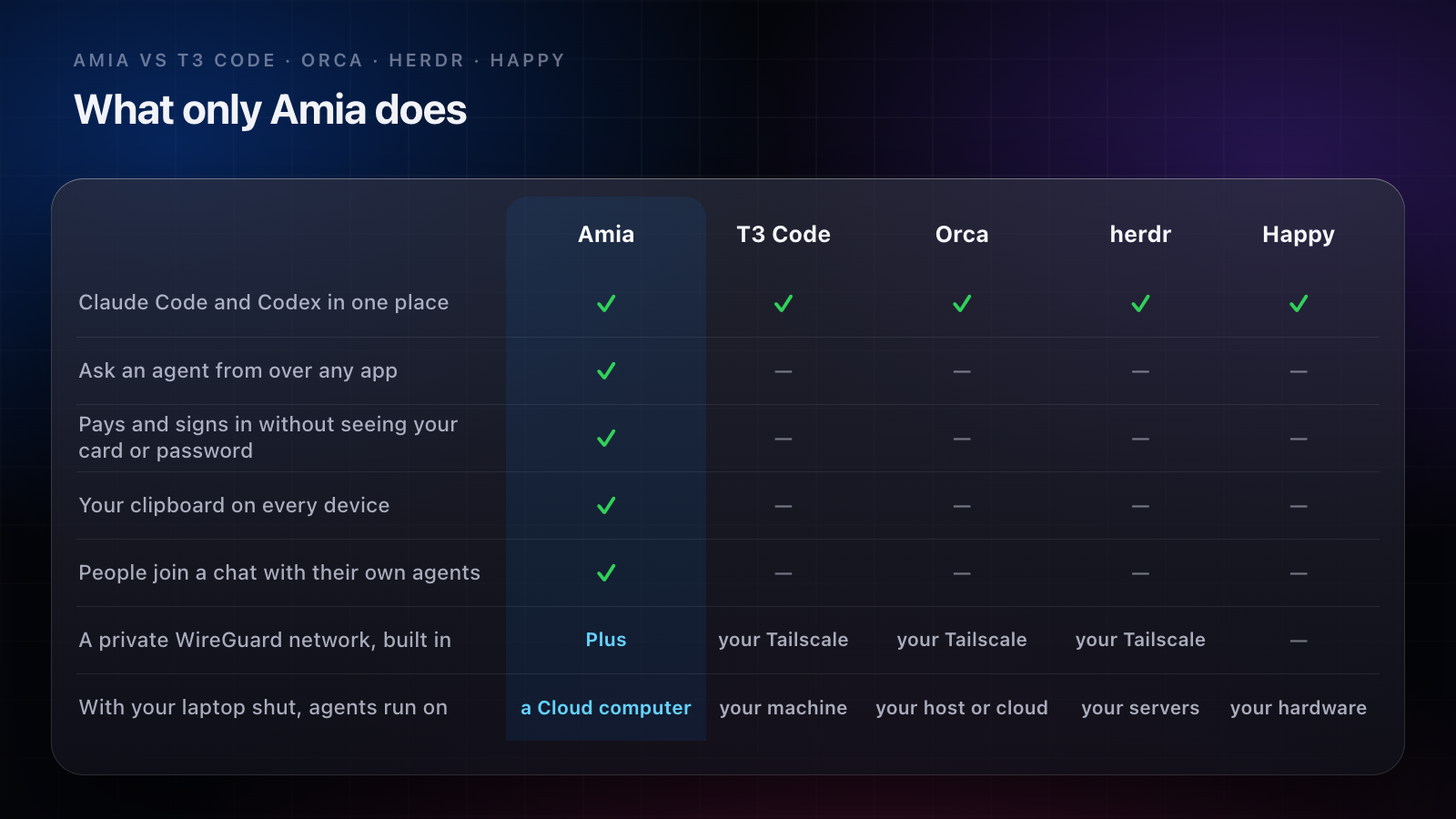
The chart
✓ means the app’s own site, docs or README says it does this, as of 21 November 2026. — means it doesn’t, or its site doesn’t say so.
| Amia | T3 Code | Orca | herdr | Happy | |
|---|---|---|---|---|---|
| Claude Code and Codex side by side | ✓ | ✓ | ✓ | ✓ | ✓ |
| Agents work with your laptop shut, on a computer you don’t run | ✓Plus | — | — | — | — |
| A private WireGuard network for your computers, built in | ✓Plus | — | — | — | — |
| Card payments and sign-ins the agent never sees | ✓ | — | — | — | — |
| Ask an agent from over any app, with one shortcut | ✓ | — | — | — | — |
| Actions on text you select in any app | ✓ | — | — | — | — |
| Your clipboard on every device | ✓ | — | — | — | — |
| People join a chat with their own agents | ✓ | — | — | — | — |
| Record your screen with your face in a bubble | ✓ | — | — | — | — |
| A browser your agents can use | ✓ | — | ✓ | — | — |
| Talk to an agent, live | ✓ | — | — | — | ✓ |
| iPhone app on the free plan | ✓beta | ✓ | ✓ | ✓ | ✓ |
| Free plan | ✓ | ✓ | ✓ | ✓ | ✓ |
What only Amia does
Your agents come to you, in any app. Press ⌥Space anywhere on your Mac to ask an agent. Select text in any app and a bar of actions appears at your pointer: rewrite it in place, translate it, search it, bookmark it. Anything you copy comes back on your Mac, iPhone and iPad. None of the four free apps reaches outside its own window.
It pays and signs in, and never sees your card or password. At a checkout or a sign-in, the agent asks, you say yes on the device in your hand, and the card or login goes from your Vault into the page. No digit of it reaches the agent, its logs or the chat.
The computer is included. Plus comes with a Cloud computer of your own, so the work goes on with your Mac closed. Today Amia’s own agents and Claude Code run on it; Codex and the other agents run on your Mac, and more cloud runtimes are rolling out.
A private network of your own. Your Mac and your Cloud computer share a WireGuard network built into Amia. For a network between your computers, T3 Code’s, Orca’s and herdr’s docs point you to Tailscale.
Nothing to set up for your phone. Amia for iPhone finds your Mac through your account. We measured it with the phone on the Mac’s own Wi-Fi: nothing typed, nothing configured.
Your agents work as one team. Claude Code can start Codex to check its fix, and they message each other by name in one chat. Invite someone in and their agents come too, each acting in its own person’s accounts.
It asks before what matters. Sending, buying, deleting: the agent waits, and the question lands at the top of your list, on your Lock Screen and in the Dynamic Island.
It does more than code. A browser agents drive while you watch, a terminal, a code editor, mail with Undo Send, and live voice with any agent.
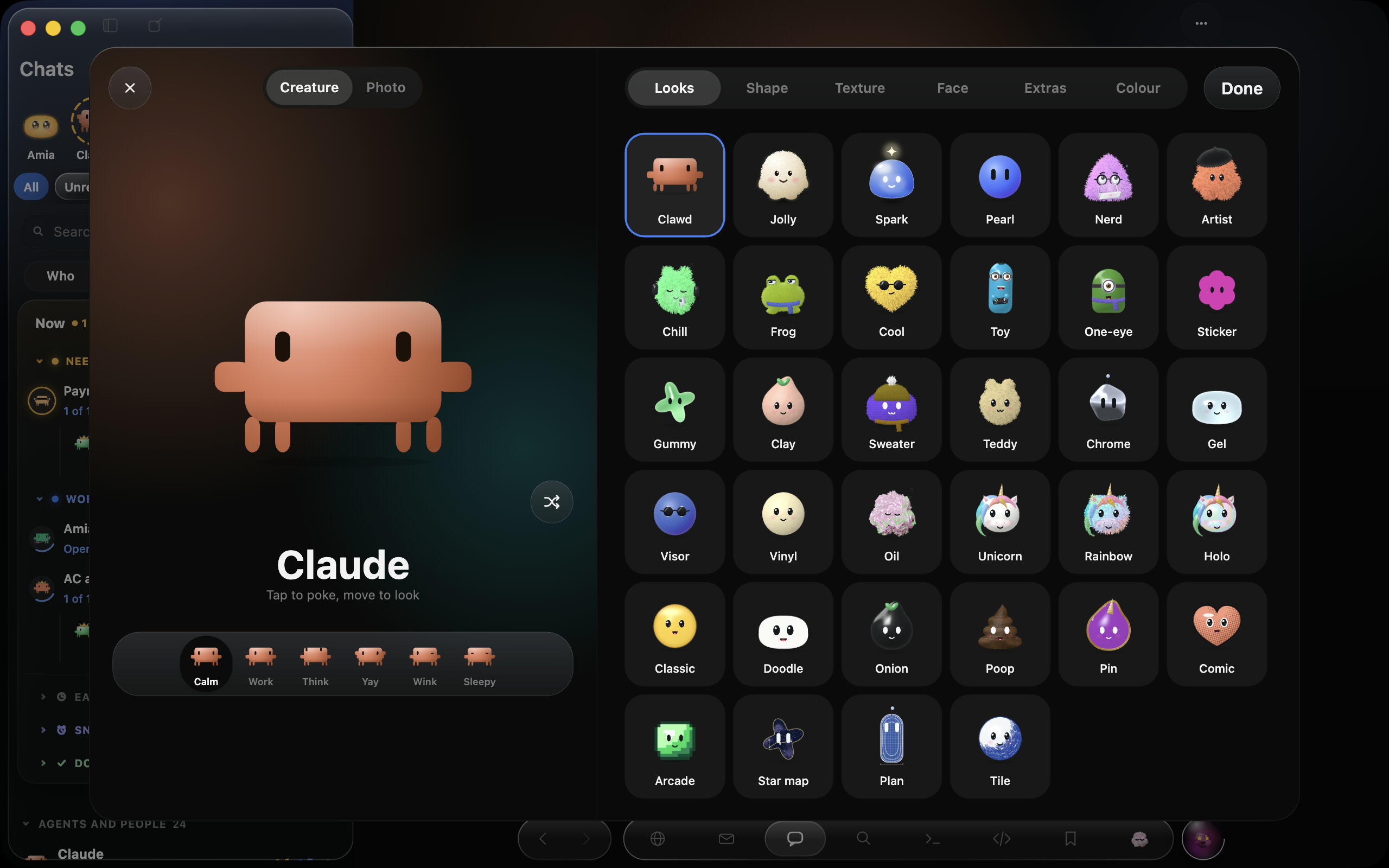
Every agent has a face. Each wears a creature you pick, and its face shows at a glance whether it is working, waiting on you or done.
What the free apps leave you to run
T3 Code, Orca, herdr and Happy are free because you supply the parts Amia includes:
- A computer that stays on. Agents stop when the machine they run on sleeps. With your laptop shut, that means a Mac mini, a home server or a VPS, kept updated, with every agent installed and signed in on it. Orca’s docs say it plainly: “Remote modes always use machines and cloud accounts you control.”
- A way for your phone to reach it. Tailscale, SSH keys, or the app’s own relay and account.
- AI accounts for every agent. The apps drive the agents’ own subscriptions or keys. Amia uses yours first and never counts them, and credit pays for AI when you have none.
If you already run a home server with Tailscale, that setup costs you little. If you don’t, or you’d rather not keep one patched, Amia’s Cloud computer does that job for you.
The four free apps, in brief
| Desktop | Phone | Away from your desk, agents run on | License | |
|---|---|---|---|---|
| T3 Code | macOS, Windows, Linux, web | iOS, Android | your machine | MIT |
| Orca | macOS, Windows, Linux | iOS, Android | your SSH host, your Orca server, or a VM in your cloud account | MIT |
| herdr | macOS, Windows, Linux, and a TUI | iPhone, iPad, Android | your servers and VMs | Apache-2.0 |
| Happy | macOS, Windows, Linux | iOS, Android, web | your hardware | MIT |
- T3 Code lists the most agents and reaches your machine through your network, Tailscale or its T3 Connect sign-in.
- Orca is an agent IDE: worktrees, diff notes, a browser and phone emulators beside the agent.
- herdr runs agents in terminal panes, and its phone app connects to your machines over SSH.
- Happy shares sessions across a team, with an end-to-end encrypted phone app.
Where Amia isn’t the pick
- You’re on Windows, Linux or Android. Amia runs on a Mac with Apple silicon and on iPhone, where it’s a TestFlight beta.
- You need open source. Amia isn’t; you can’t read it, fork it or self-host it.
- You run OpenCode, Kiro, Pi or Agent Client Protocol agents. Amia lists Claude Code, Codex, Cursor, Grok Build, Antigravity and Muse Code beside its own agents.
Which one to pick
- A Mac and an iPhone, agents over every app, and no server to keep: Amia, free for three agents and three devices with your own AI accounts; a Cloud computer comes with plans from $35.99 a month (pricing).
- Windows, Linux or Android, and a machine that stays on: one of the four free apps.
For Paradev, Rex and Pushary too, in one chart, see every agent app compared.